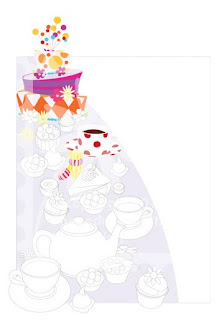
I've been working in Painter for a little while now, and finally feeling comfortable enough to start on bigger, longer projects. So, I have decided to post the progression of this piece. I have chosen to work on Alice in Wonderland's Mad Hatter Tea Party. This story has been near and dear to my heart. My mom took me to the movie theater for the first time when I was 3 years old. This movie caught my attention and left me with an appreciation for the imaginary.
My ProcessFirst, I like to line out my design in black and white. Sometimes that is by hand with pencil, and sometimes it is by Illustrator. Here my work is in Adobe Illustrator.
After I have it all lined out, I begin to change all the shapes to flat color. If I am lining this out in pencil, I would scan it and open it in Photoshop. On a separate layer, I would paint all the areas a "rough approximate" local color that the object will be. By working this way, when I get to Painter to render the final piece, I will be able to select all of the flat shaped color and begin working it anyway I wish. Also, by making this selection, I am able to work right up to the edge of the selection.